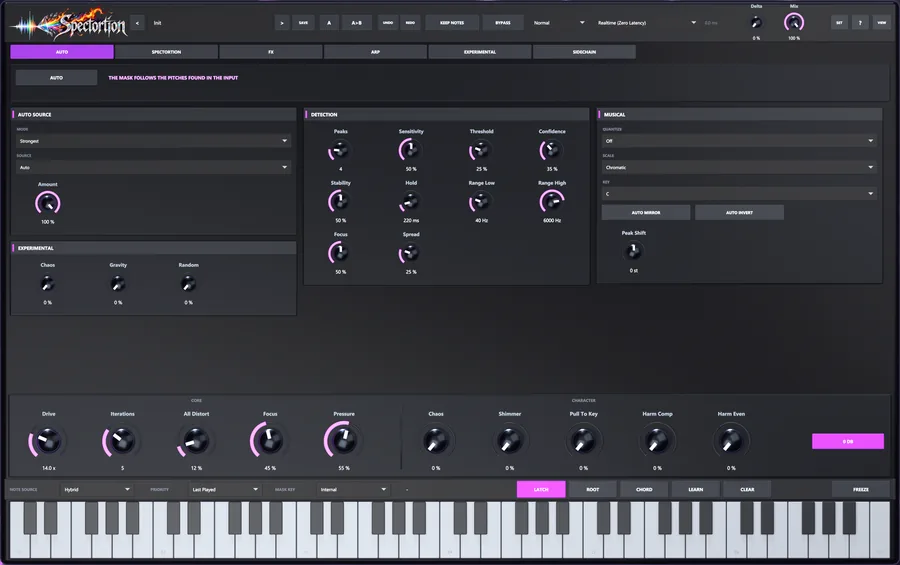
01 · AUTO
The audio picks the harmony.
AUTO listens, finds the strongest tones and makes them the notes Spectortion targets. Drag the detection zone like an EQ band. Built for voices and synths, and for drums, full mixes and noise on purpose.

Spectral distortion plug-in · VST3 · AU

Distortion that only ever lands in tune.
Spectortion distorts only the harmonics that belong to your notes, whether you play them, click them or let it pick them out of the audio. The rest of the spectrum stays clean. Then it runs the result through again. And again.
*Compared with ordinary distortion on the same source at the same drive. The gap keeps widening with more passes.
The problem
Push a chord into a normal saturator and the notes start multiplying against each other. Out come sum and difference tones that belong to no key, and the next hour goes to carving them back out.
Your saturator isn’t evil. It just doesn’t know what key you’re in.
| made from | lands at | nearest note | off by |
|---|---|---|---|
| C3 − A2 | 20.8 Hz | E0 | +18 ct |
| E3 − C3 | 34.0 Hz | C♯1 | −33 ct |
| 2·C3 − A2 | 151.6 Hz | D♯3 | −44 ct |
| A2 + C3 | 240.8 Hz | B3 | −44 ct |
| C3 + E3 | 295.6 Hz | D4 | +12 ct |
| A2 + C3 + E3 | 405.6 Hz | G♯4 | −41 ct |
None of them belong to A minor. All of them arrived when you turned the knob up for “warmth”.
How it works
Spectortion drives the whole signal through a real waveshaper, so it reacts the way saturation should. Then it keeps the new harmonics only where they fit your notes, and sets everything else aside.
Nothing is filtered before the distortion or after it. It is sorted. That is how it goes heavy without turning to mud.
notes     →  a map of their harmonics
audio     →  distort → keep what fits
the rest  →  your call
repeat → up to 16 timesPlay MIDI, click the keyboard, press LEARN, or let AUTO pick them out of the audio.
A narrow window opens on every harmonic of every note. You decide how wide, how high and how low.
The full signal hits one of six waveshapers. Nothing is split or filtered first.
Distortion inside the windows stays. Everything outside them is held back.
Discard it, fold it back in, snap it to the nearest harmonic, or feed it into the next pass.
The result becomes the input of the next pass.
Iterations
Each pass distorts what the last one left behind, so harmonics grow out of harmonics and the sound moves further from its source. It also gets more in key, not less: every pass narrows onto the partials that survived.
Iterations runs continuously from 0 to 16, so it automates as smoothly as Drive. The level stays put while the character changes. Focus sets how hard each pass tightens.
Illustration based on the measured figure: about 60× less out-of-key energy than ordinary distortion after eight passes, and still falling.
Hands on
Pick notes and push the controls. Grey is what a normal saturator adds. Colour is what Spectortion keeps. Amber is the out-of-key part it holds back.
A simplified model running in your browser, not the plug-in. “Ordinary” runs a real tanh saturator on the chord. “Spectortion” plays only the harmonics it would keep. The plug-in does this in far finer detail, over up to 16 passes, inside your DAW.
The plug-in
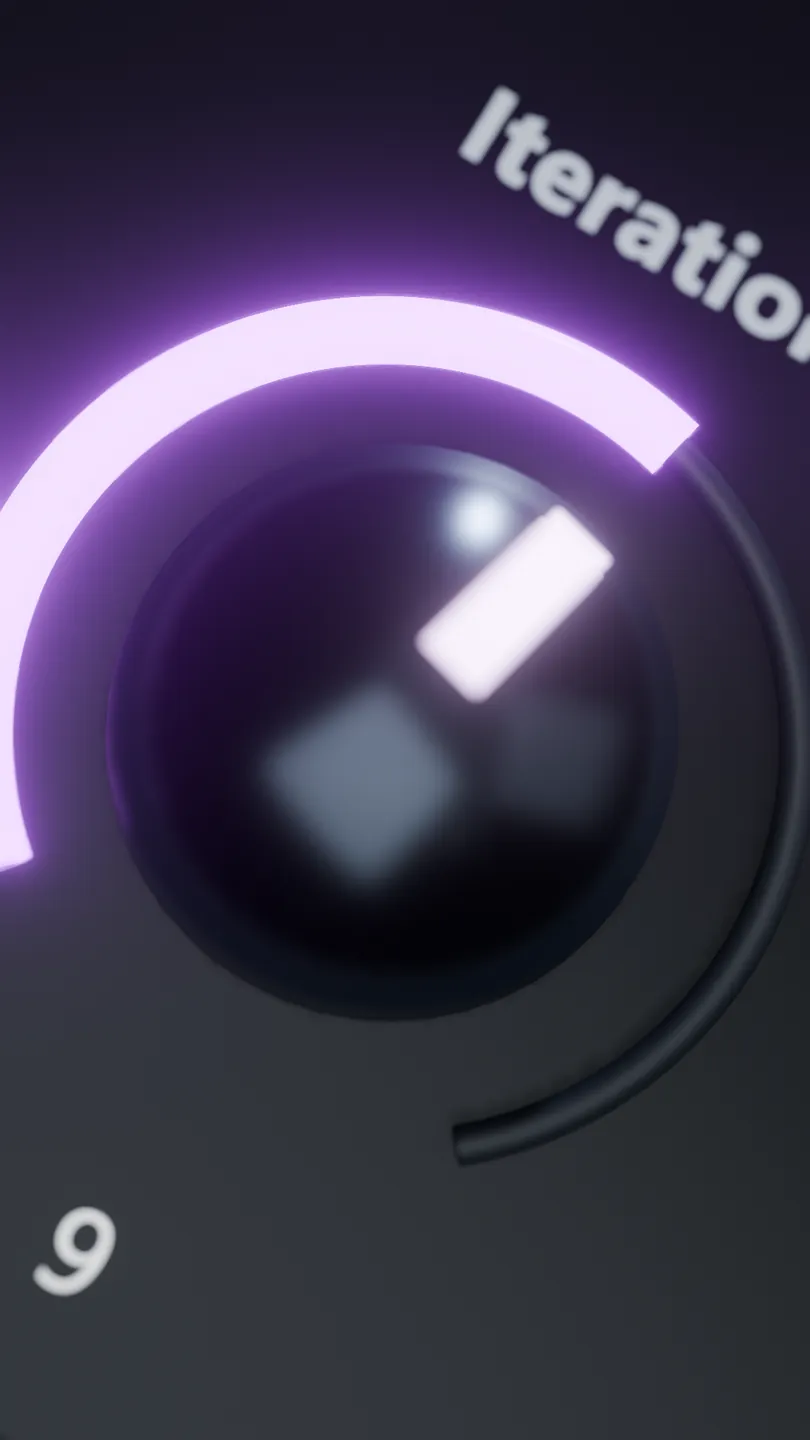
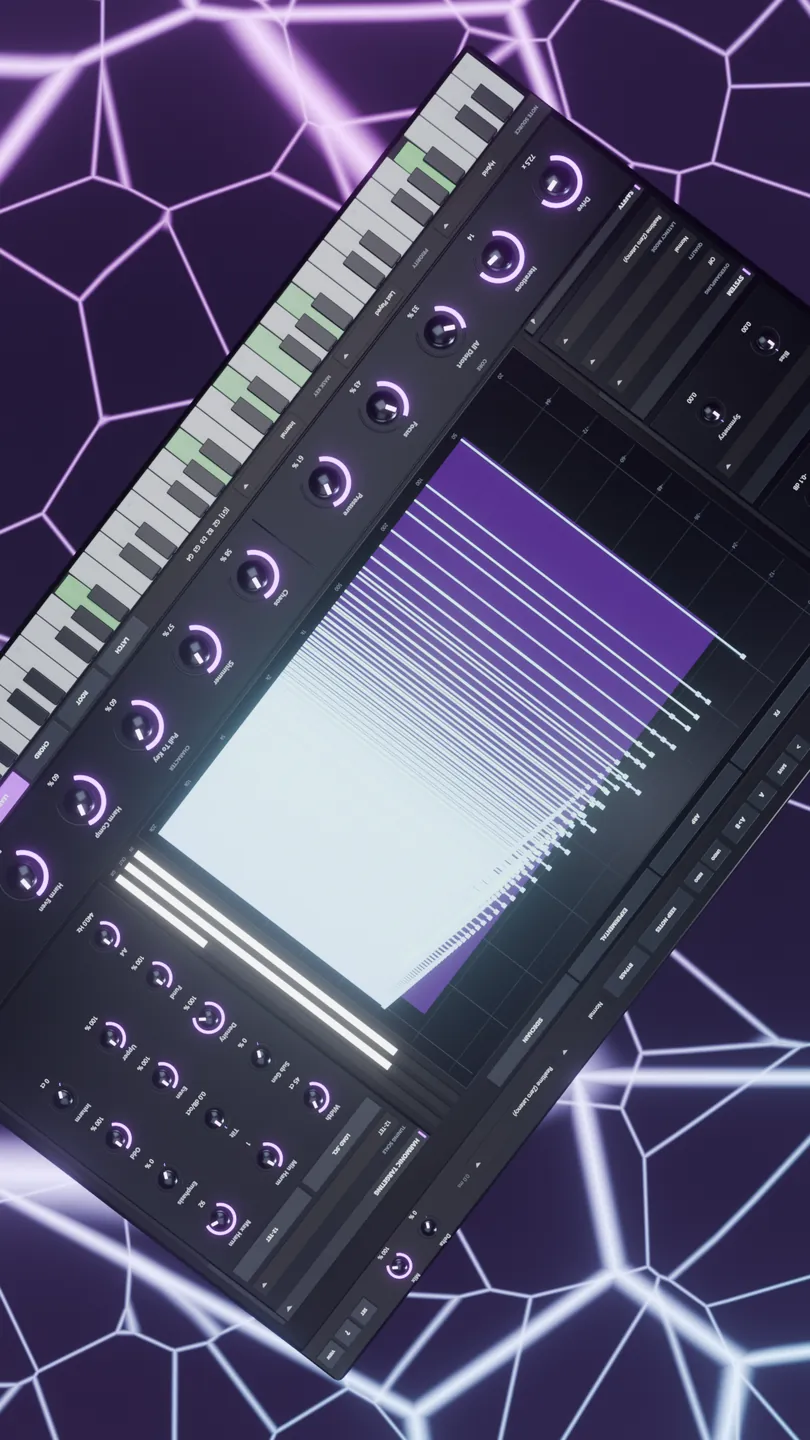
No macros hiding the interesting part. Every control has a tooltip that says exactly what it does. Shift-drag for fine moves, double-click to reset.
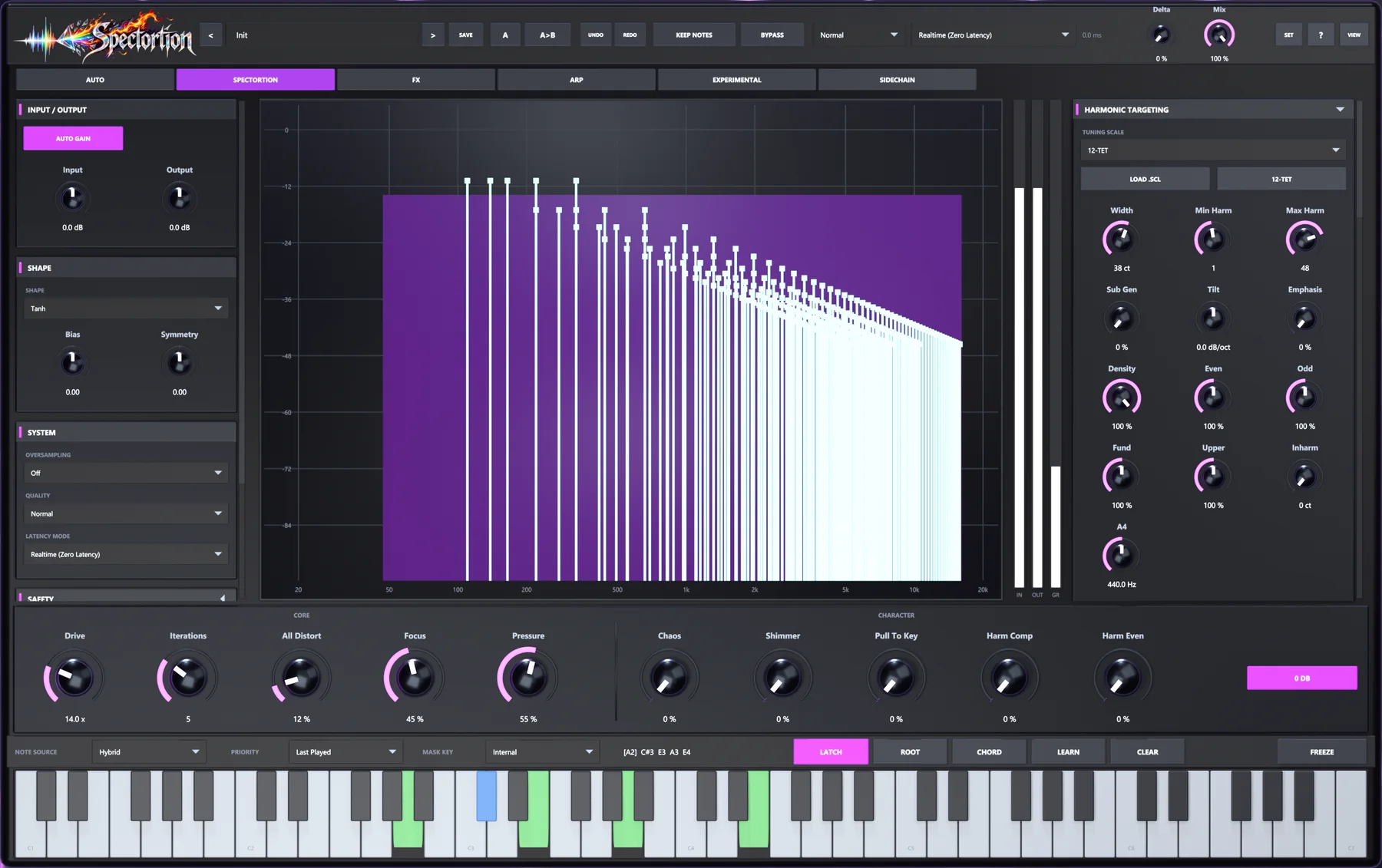
Watch it work: input against output, the regions taking distortion, and a comb that shows how hard each harmonic is ringing.
Six pages, in signal order
01 · AUTO
AUTO listens, finds the strongest tones and makes them the notes Spectortion targets. Drag the detection zone like an EQ band. Built for voices and synths, and for drums, full mixes and noise on purpose.
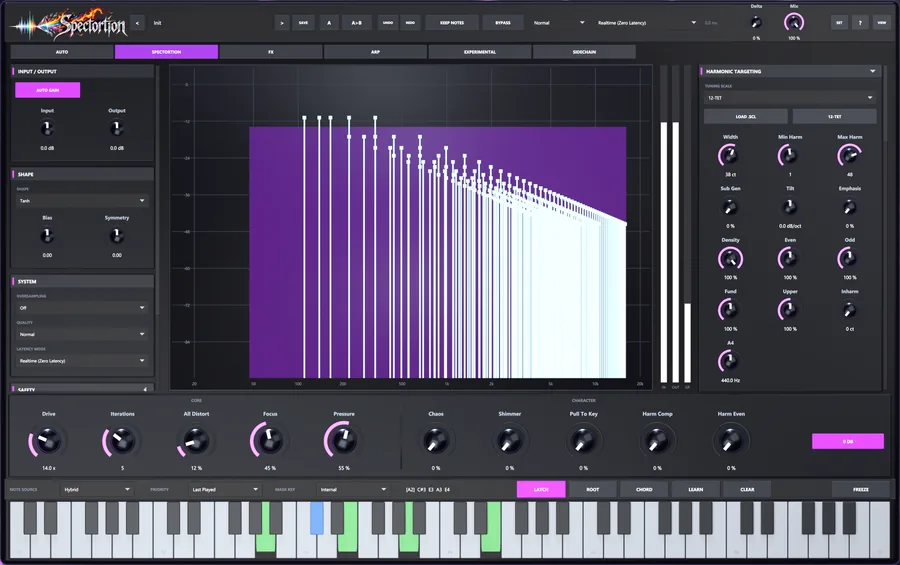
02 · SPECTORTION
Drive, Iterations and harmonic targeting, with Chaos, Shimmer and Pull To Key for character, all around a live analyser.
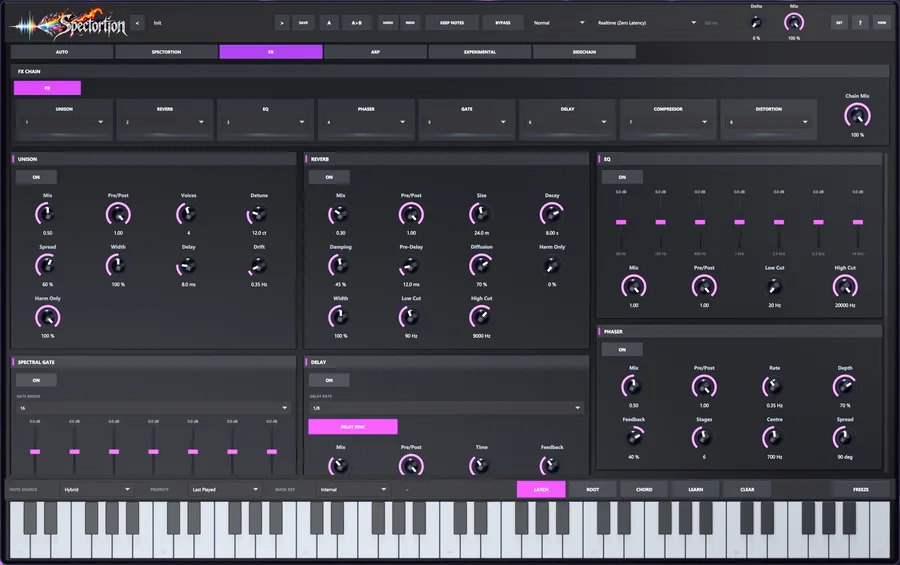
03 · FX
Unison, Reverb, EQ, Phaser, Spectral Gate, Delay, Compressor and Distortion. Drag to reorder and place each before, after or across the engine. Reverb, Delay and Unison can work on the chord’s harmonics only.
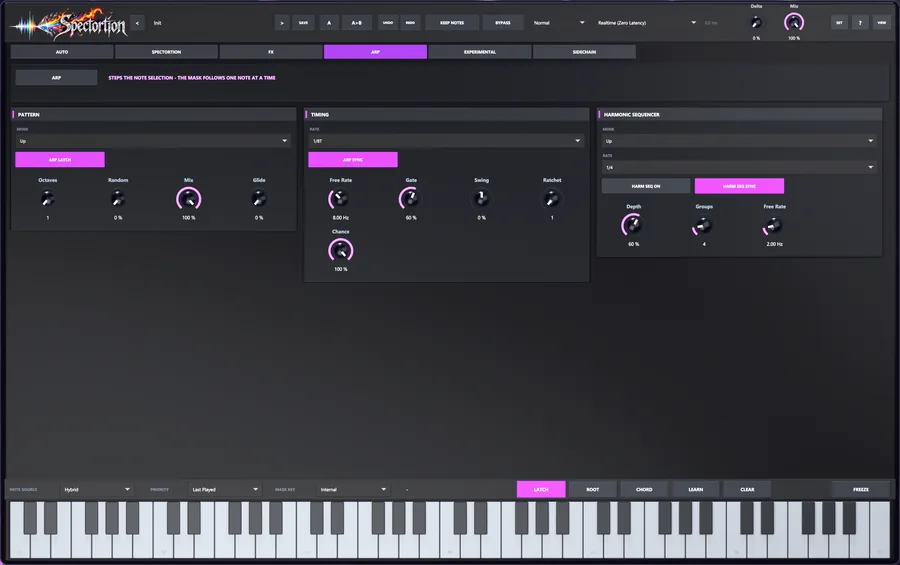
04 · ARP
It steps which notes get distorted, so the harmonics walk your chord while the audio keeps playing. Glide slides the whole series and lands in tune.
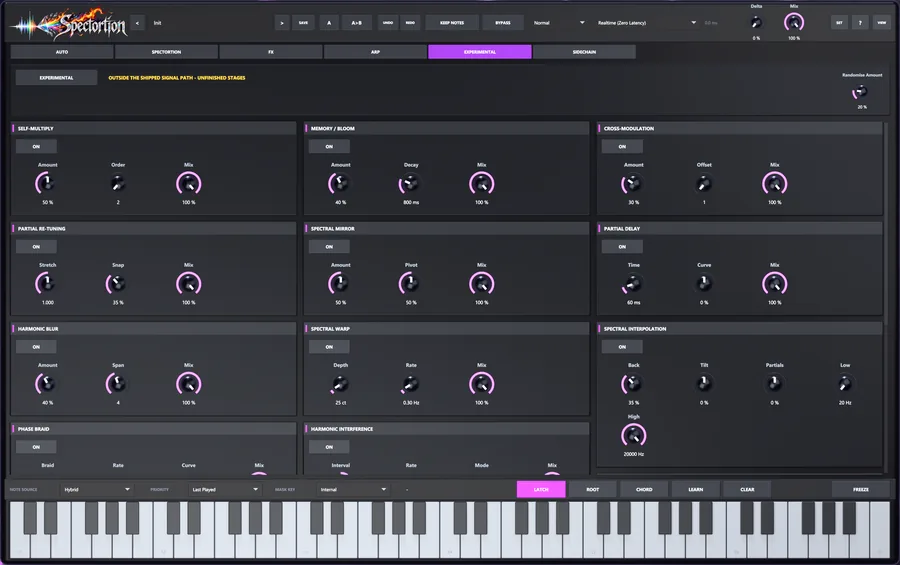
05 · EXPERIMENTAL
Spectral mirror, partial delay, memory bloom, phase braid, an overtone mod matrix and more. The Harmonic Sculptor writes the exact series you ask for. Off by default. Handle with curiosity.
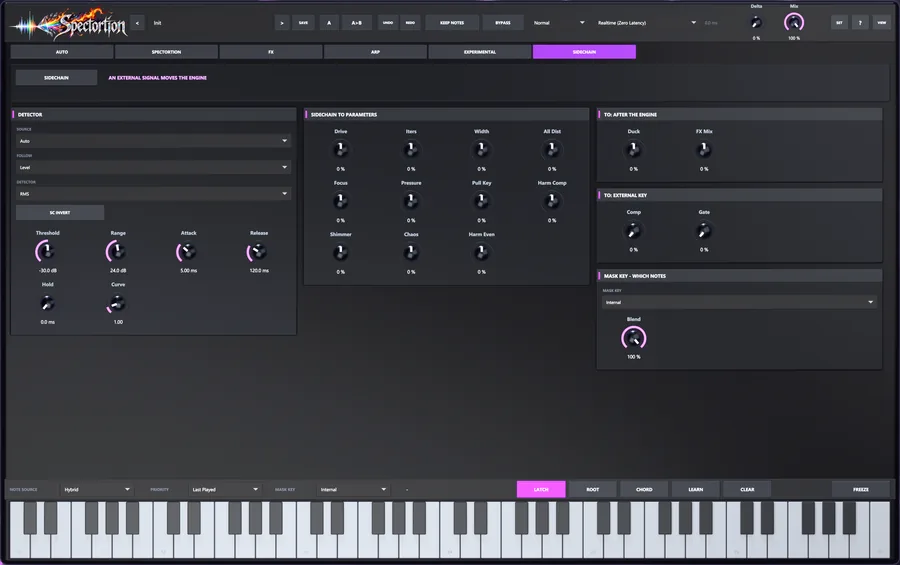
06 · SIDECHAIN
Mask Key lets a side input choose which harmonics get distorted, so a bass line can steer a pad. Or send an envelope to Drive, Iterations, Shimmer and more, keyed from a bus or from the track itself.
What’s inside
Width · Min/Max Harm
Decide which harmonics take the hit. Narrow windows ring and cut, wide ones feel natural. Reach up to the 128th harmonic, tilt the series, weight even against odd.
Sub Gen
Target subharmonics down to a sixteenth of the fundamental. Sub Gen builds them when the source has none, and they hold up in mono.
Pull To Key
Instead of cutting what doesn’t fit, move it onto the nearest harmonic of your chord. Noise and off-pitch material arrive in tune.
Shimmer
Copies every partial an octave up, in tune by design. Glassy at low settings, choral at high ones.
Chaos
Lets the harmonic windows drift over time and frequency. Small amounts breathe, large amounts boil, and every bounce comes out the same.
Pressure · Harm Comp
Each harmonic gets its own compressor, so no single overtone takes over the note. Harm Comp evens out the whole series.
EQ Mode Pre / Post
Pre decides which frequencies get driven: pull the lows down and the bass never feeds the distortion. Post shapes what comes out.
Spectral Interpolation
Pull chosen frequencies part-way back to the dry sound: clean lows, driven highs, a smooth slope between. No comb filtering, which a Mix knob can’t promise.
Up close

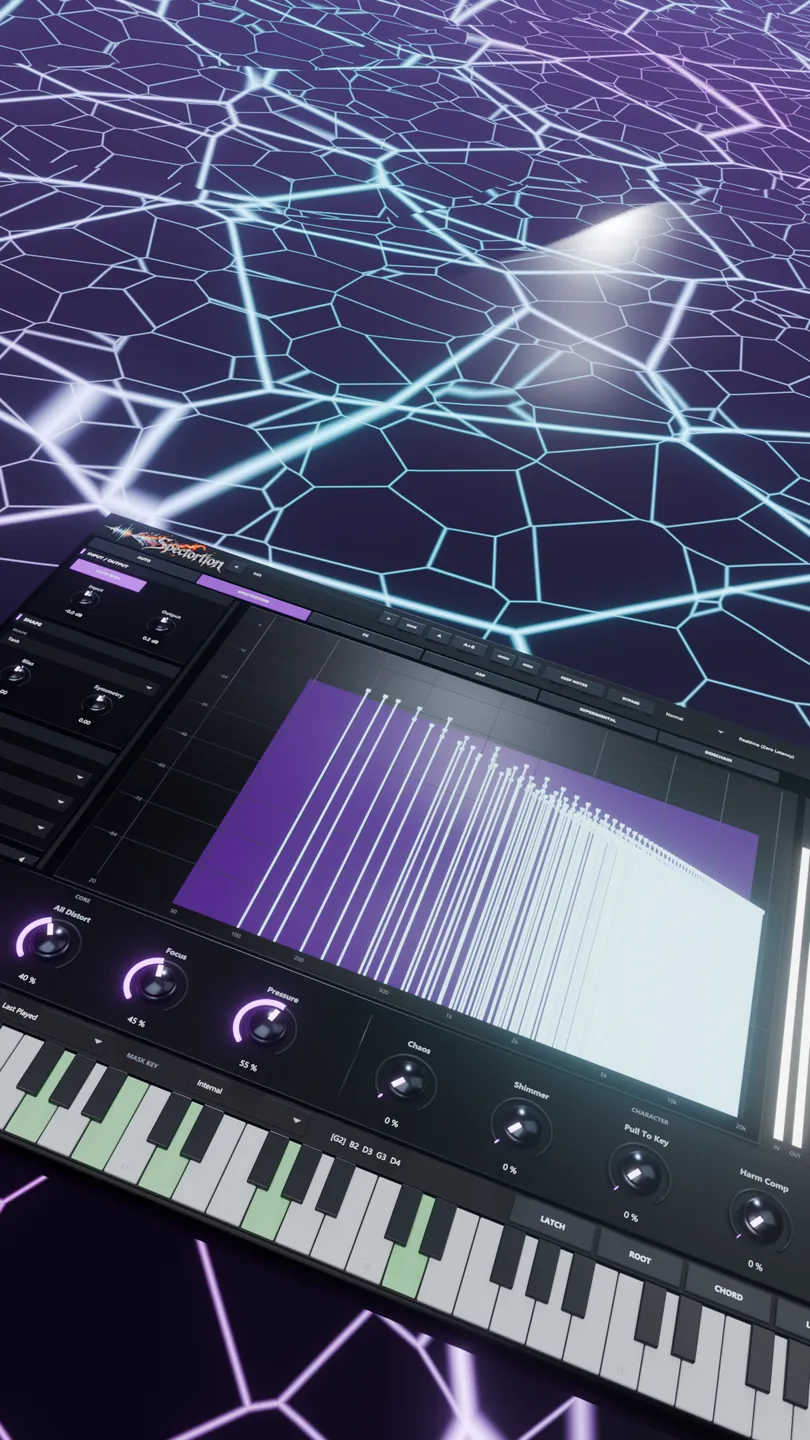
In the session
A polite exciter at one setting, a chord-melting monster at another. Dial one of these in, then push it.
Brightness without harshness. It adds only the harmonics the note already implies.
Drive 4 · Iterations 1.5 · Harmonic Width 35 ct · Max Harmonic 24 · Tilt −6 dB/oct
The engine only ever sees the top two octaves. The low end stays exactly as it was.
EQ Mode Pre · 60, 160 and 400 Hz down hard · 6.3 and 14 kHz up
Low harmonics only, tilted down and filtered on the way out. Weight you can feel, not a haze to fix.
Min Harmonic 1 · Max Harmonic 6 · Width 55 ct · Tilt −8 · EQ Post, top bands down · Master Filter 50 %
Feed it cymbals, rain or a room recording and play chords into it. It sings.
Master Filter 100 % · Width 45 ct · All Distort 60 % · Drive 10
AUTO finds the strongest tones in a loop, inharmonic ones included, and makes them the harmony. Hits turn metallic. Lower Stability and the harmony chases the groove.
AUTO on · Mode Experimental · Peaks 3 · Stability 70 % · Hold 250 ms
The ARP steps the harmonics, not a synth, so nothing retriggers. The whole series slides and keeps landing on chord tones.
ARP · Glide 100 % · wide chord · Gate 100 %
Latency modes
Realtime runs at zero latency, for tracking and live sets. Hybrid, the default, is the full spectral engine. Linear Phase HQ leaves every original partial with the phase it arrived with, for mixing and mastering.
The latency Spectortion reports is exactly what it delays, in every mode, so your DAW keeps everything aligned. A few spectral stages need Hybrid or HQ.
Zero samples. We checked. Then a test checked us.
| Mode | Eco | Normal | High |
|---|---|---|---|
| Realtime (zero latency) | 0 | 0 | 0 |
| Hybrid | 1024 | 2048 | 4096 |
| Linear Phase HQ | 2048 | 4096 | 8192 |
At 48 kHz: Hybrid 21.3 / 42.7 / 85.3 ms, Linear Phase HQ 42.7 / 85.3 / 170.7 ms. Your DAW compensates automatically, and bypass stays aligned.
18 factory presets
Grouped by what they do, gentlest first, from Clean Harmonics to Full Spectrum Rage. KEEP NOTES auditions the bank against your own chord.
Init
Subtle
Harmonic
Heavy
Spectral
FX Chain
Design principles
Limit to 0 dB guarantees nothing leaves above 0 dBFS, however far you push it.
No hidden make-up gain. Drive 1 is clean, and Auto Gain matches levels so louder never fools you.
Same audio, same settings, same result. Chaos is repeatable, and RANDOMISE rolls the sound by an amount you set, with its own undo.
Reset on Play clears the engine when the transport starts, so every playback begins from the same place.
Switch quality or latency mode while audio is running. Nothing clicks.
Loading a preset never changes latency, quality, tuning or your safety settings.
Specifications
Get Spectortion
The trial is the full plug-in: every page, every mode, every preset. When you buy, activate in the same installation and keep working.
Launch price coming soon
One licence. Every feature, no tiers.
Downloads open at launch. Leave your email below and you’ll hear first.
Questions
No. Click notes on the plug-in’s keyboard, press LEARN and let it listen, or switch on AUTO and let the audio choose. MIDI is simply the most precise option.
Most likely no notes are selected. Spectortion only keeps distortion that fits your notes, so with none selected it adds nothing. Pick a note, or raise All Distort to work across the whole spectrum.
No. Filtering before distortion changes what the distortion produces, and filtering after throws away material that has already interacted. Spectortion does neither. It sorts the distortion inside every pass, which is why more passes sound more in key, not muddier.
Yes, deliberately. AUTO finds tones in anything, and its Experimental mode goes after the inharmonic content of drums, metal and noise. Transient Preserve keeps the attacks sharp.
Yes. Set Mask Key to Sidechain and the side input chooses which notes get distorted. For the envelope, choose This Track to make it react to itself with no routing, and Invert to open the effect in the gaps instead of closing it.
Yes. Realtime mode runs at zero latency, and the FX chain adds none in any mode. For the lightest load, use Eco quality and fewer Iterations.
Once, to activate. After that the licence is checked on your machine at every launch, so a session on a plane or behind a firewall is fine. It renews itself quietly in the background when it can.
Gloriously. Turn Delta to 100 % and you’ll hear exactly how much, and exactly where.
Contact
Support, press, artist collaborations, dealers, bug reports and love letters. Preset trades very welcome.